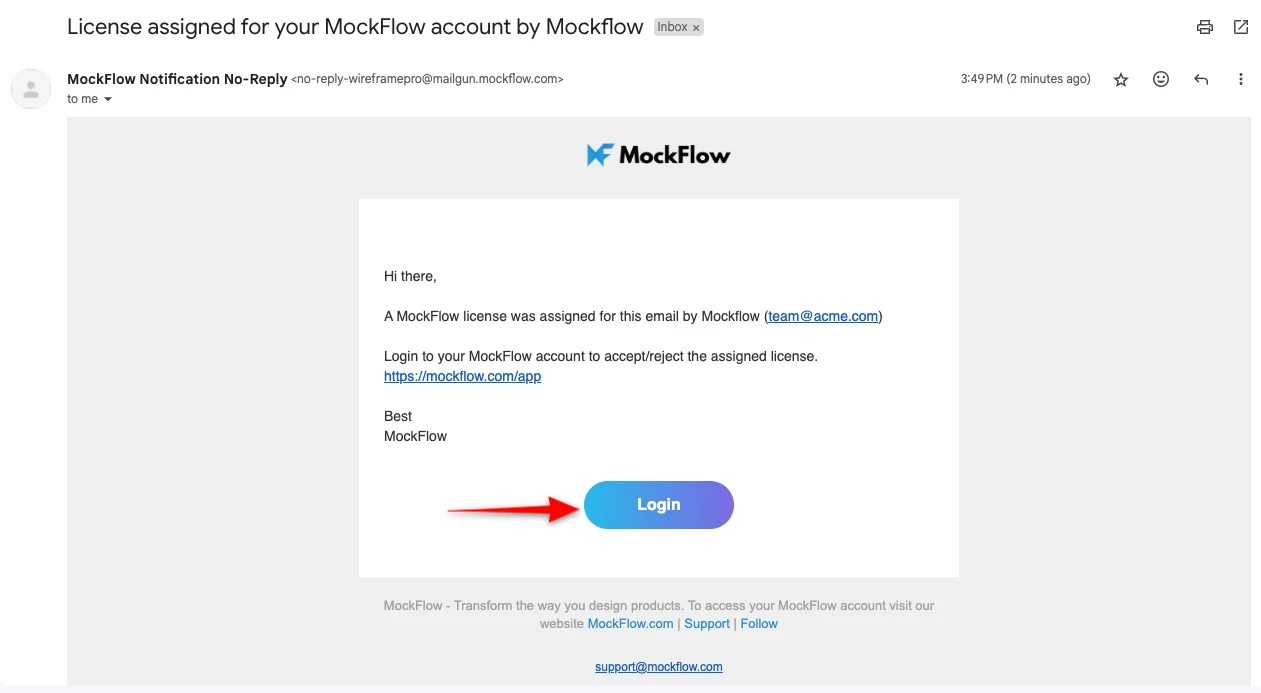
If you have purchased more than one Editor license, then you can use the License Manager to manage/upgrade/downgrade the licenses of your team members. The administrator who bought the license can even switch the licenses between different users at any point in time.
To manage the licenses, follow the steps below:
1Open account details.

2Click the "User Licenses" button in the account settings menu.

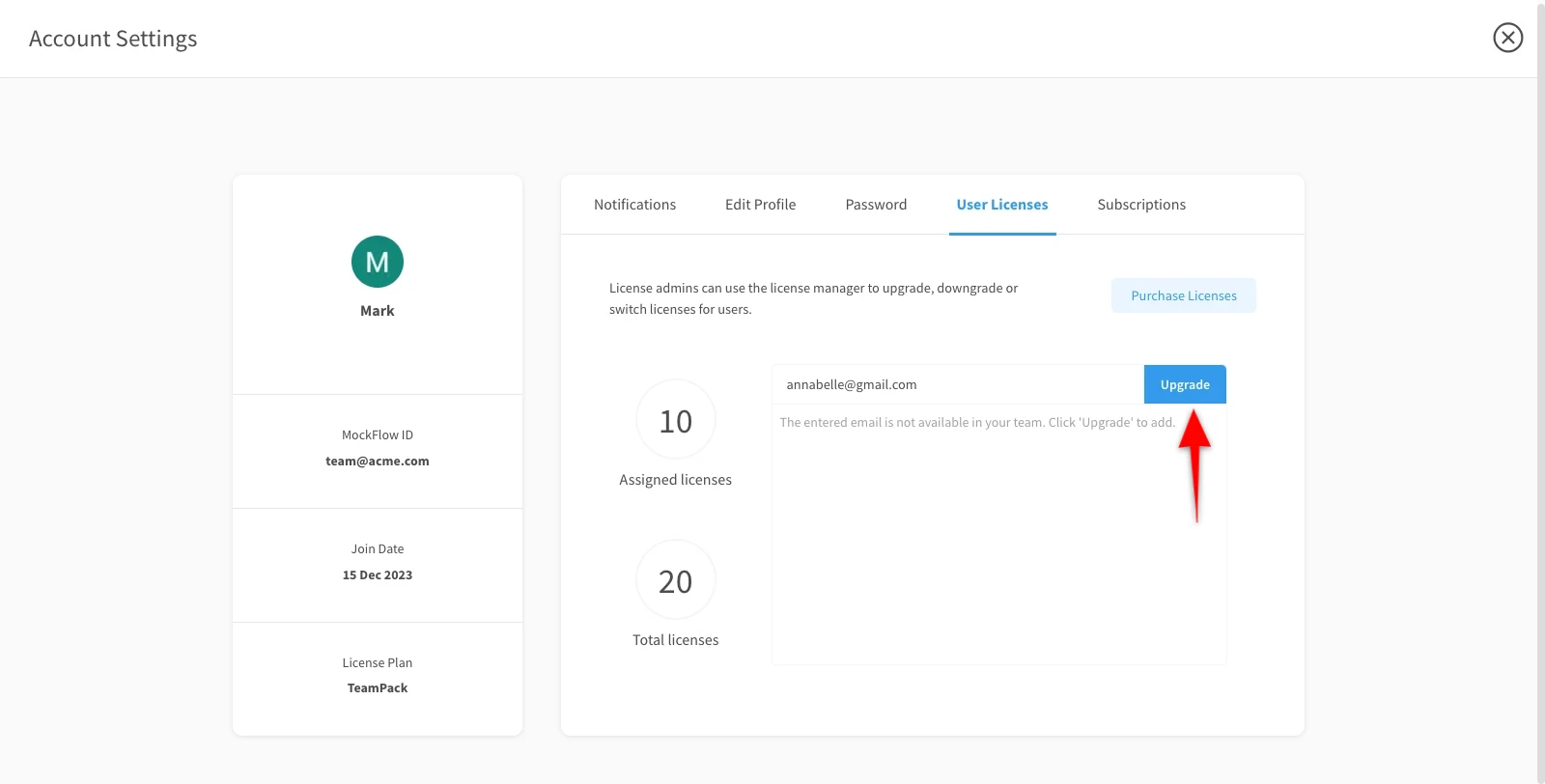
3Now enter the email id of the team member here.

4Then, click on the upgrade button.
Note - The added member will receive an email for confirmation.
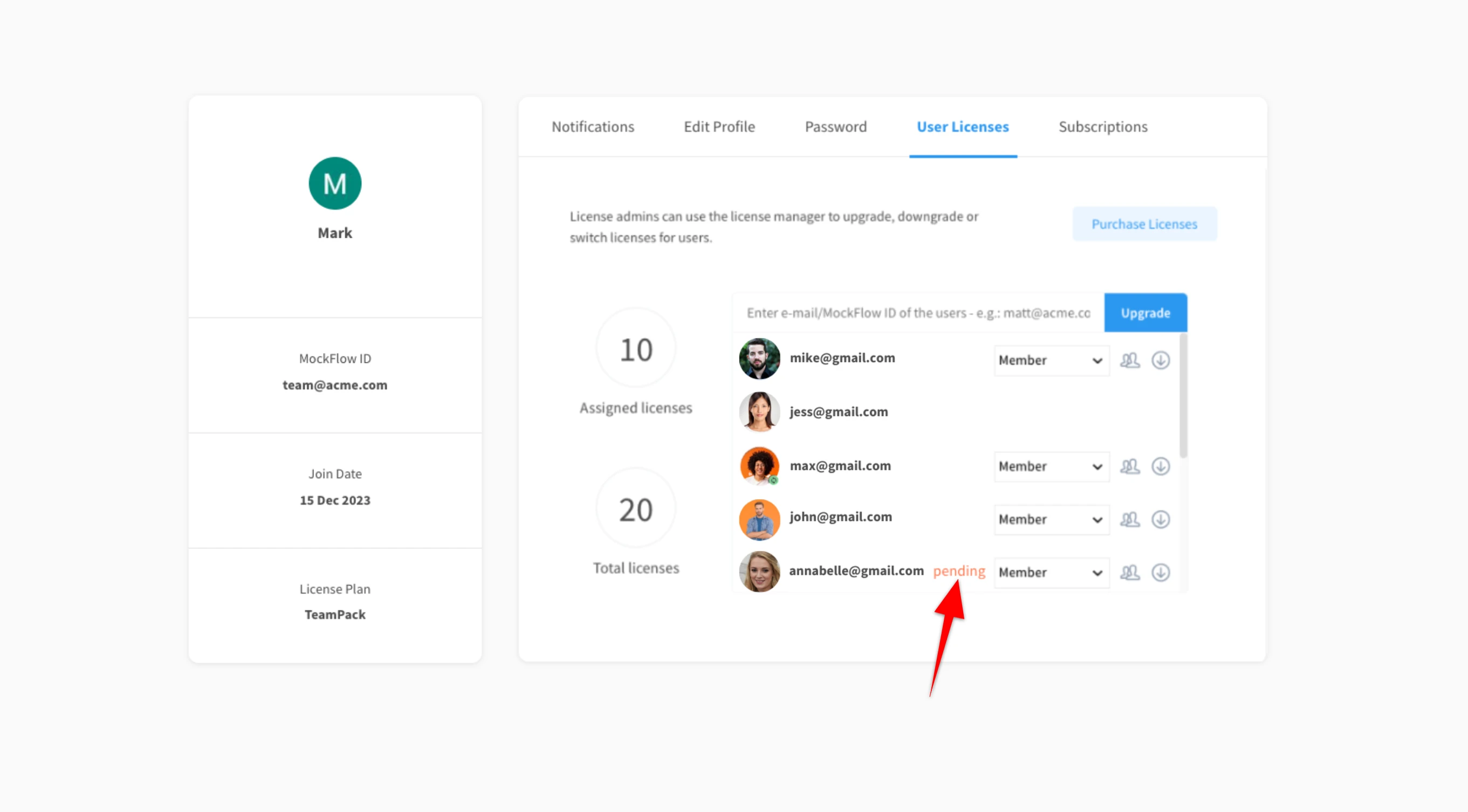
6The member will be added and will be notified as 'Pending.'
7 Click 'Login' from the mail to open the added member's login account.